Case Study 02

AI Governance
Dashboard.

A tool that helps teams spot what could go wrong with an AI project, plan how to handle it, and get a clear yes or no before anything launches.
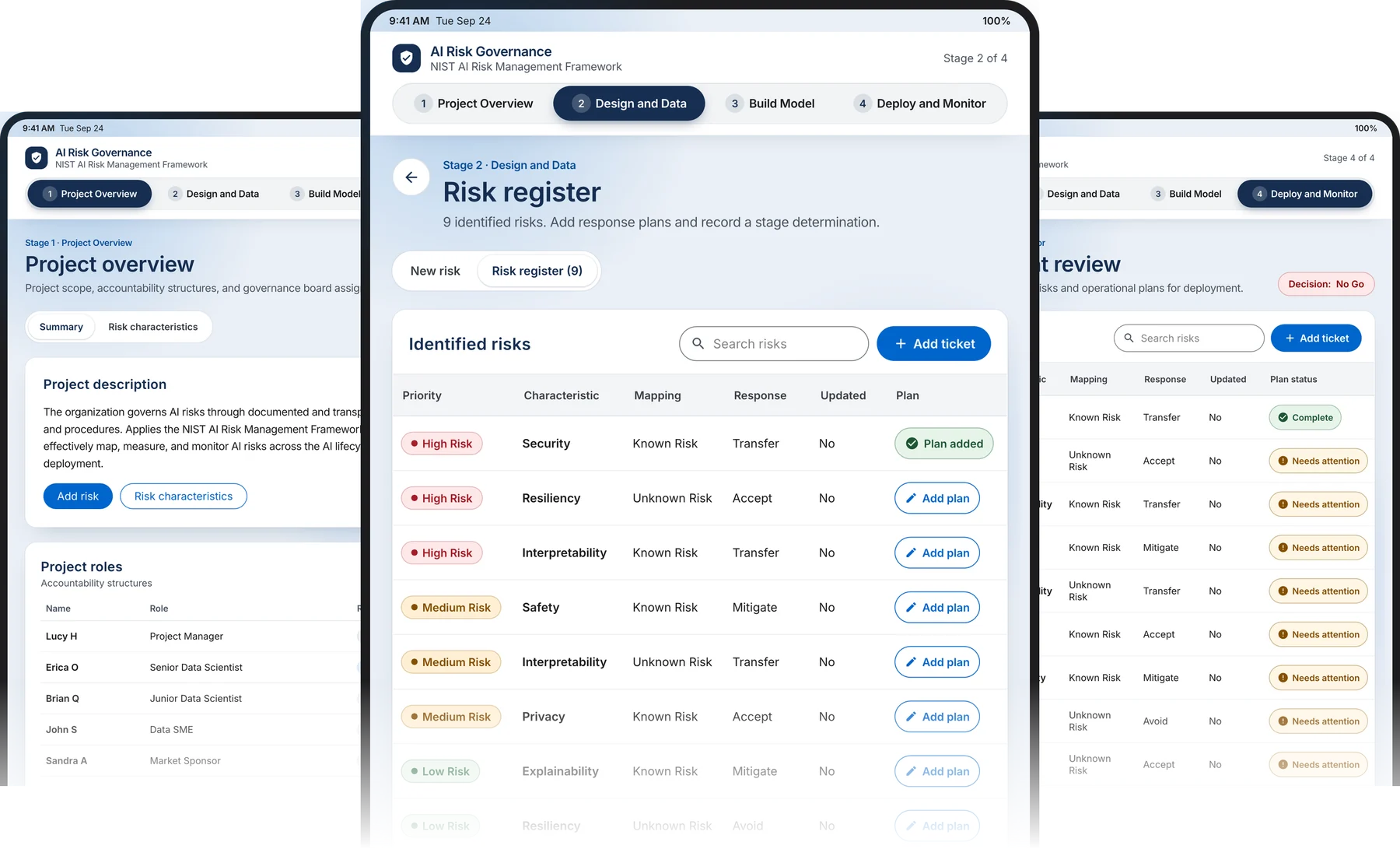
AI Risk Governance tablet screens: project overview, risk register, and deployment review
Client
Federal digital services firm (internal tool)
Role
UX Lead / Product Designer
Platform
Tablet web app
Timeline
2 weeks rapid prototyping
Users
Project managers · Data scientists · Review board

At a glance

The problem

Teams were launching AI projects with no shared record and no sign-off, and the federal guide for managing AI risk was hard to apply.

What I did

I talked with the people who'd use the tool and took the design from rough sketches to a clickable prototype.

Key decisions

I added a Go / No Go approval at every step with the reason saved, plain definitions next to each risk type, and a team list showing who owns what. A step can't be approved until every risk has a plan.

The outcome

Every new AI project now goes through the review. When a live AI tool has a problem, it's fixed in under 4 hours instead of days. Two risky AI tests were stopped before launch.

Making AI rules easy to follow.

A federal digital services firm needed one place to track the risks of its AI projects. The government already publishes a guide for this, the NIST AI Risk Management Framework, but it reads like a policy document. I led the design of a tool that turns that guide into simple steps for project managers, data scientists, and the review board that approves AI projects.

  • Turned the federal guide into a step-by-step flow that follows how an AI project is actually built
  • Designed the main screens: logging a risk, the shared risk list, response plans, and the Go / No Go approval at each step
  • Talked with the people who'd use it: project managers, data scientists, and compliance staff
  • Took it from rough sketches to finished screens and a clickable prototype

Teams were launching AI with no shared record and no sign-off.

Each team handled AI on its own. For a firm that works for federal agencies, that was risky: the business needed a clear record it could show clients, and teams needed to know what "doing it right" actually looked like.

Scattered notes
Each team wrote down risks in its own place, so leaders couldn't see which projects were the riskiest.
No sign-off
Nothing stopped a risky AI model from going live without anyone reviewing it.
Hard to apply
The federal guide is written for policy experts. Teams needed it as clear tasks and decisions.

What I heard, and what I designed in response.

Conversations with the people who'd use the tool pointed to three problems.
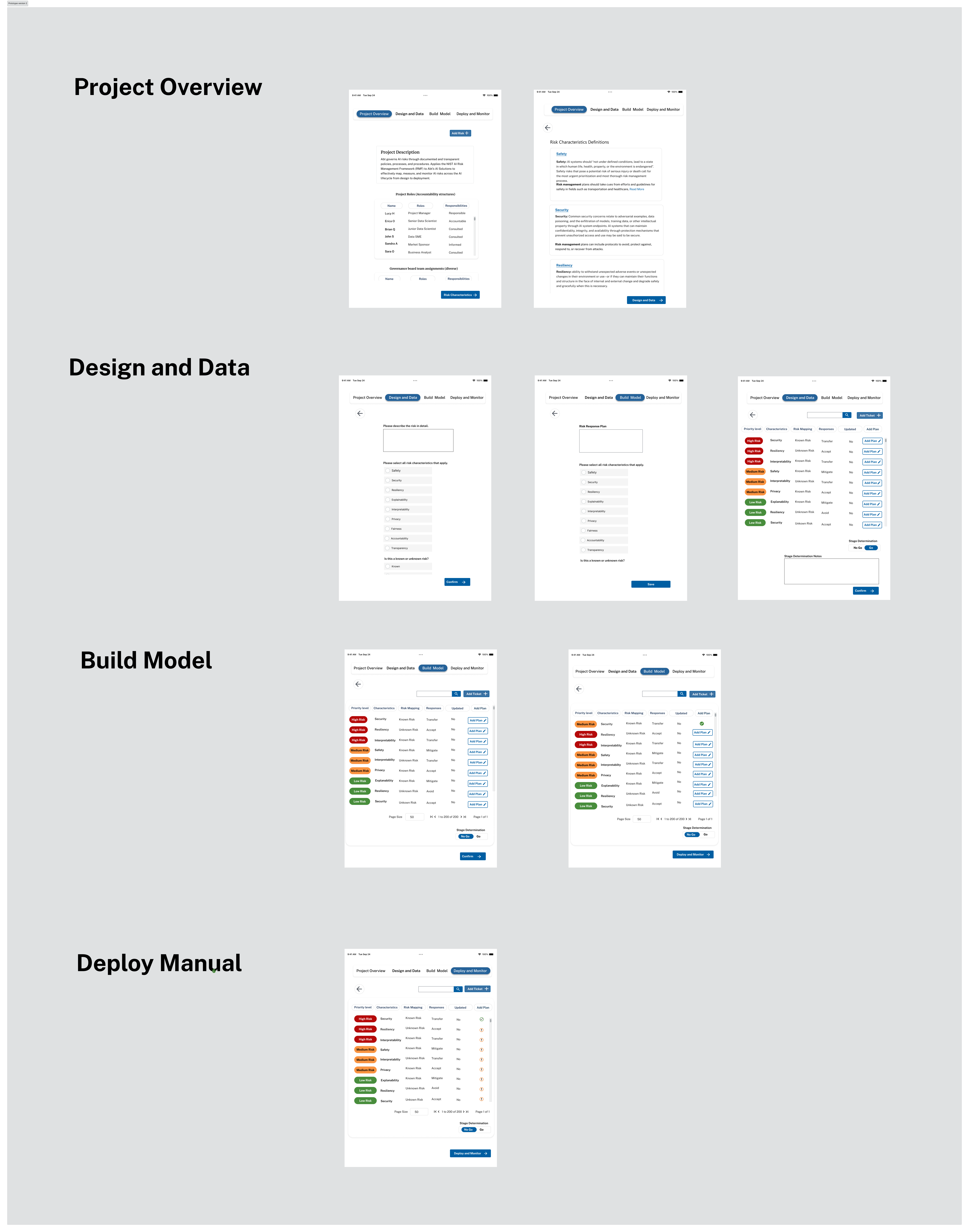
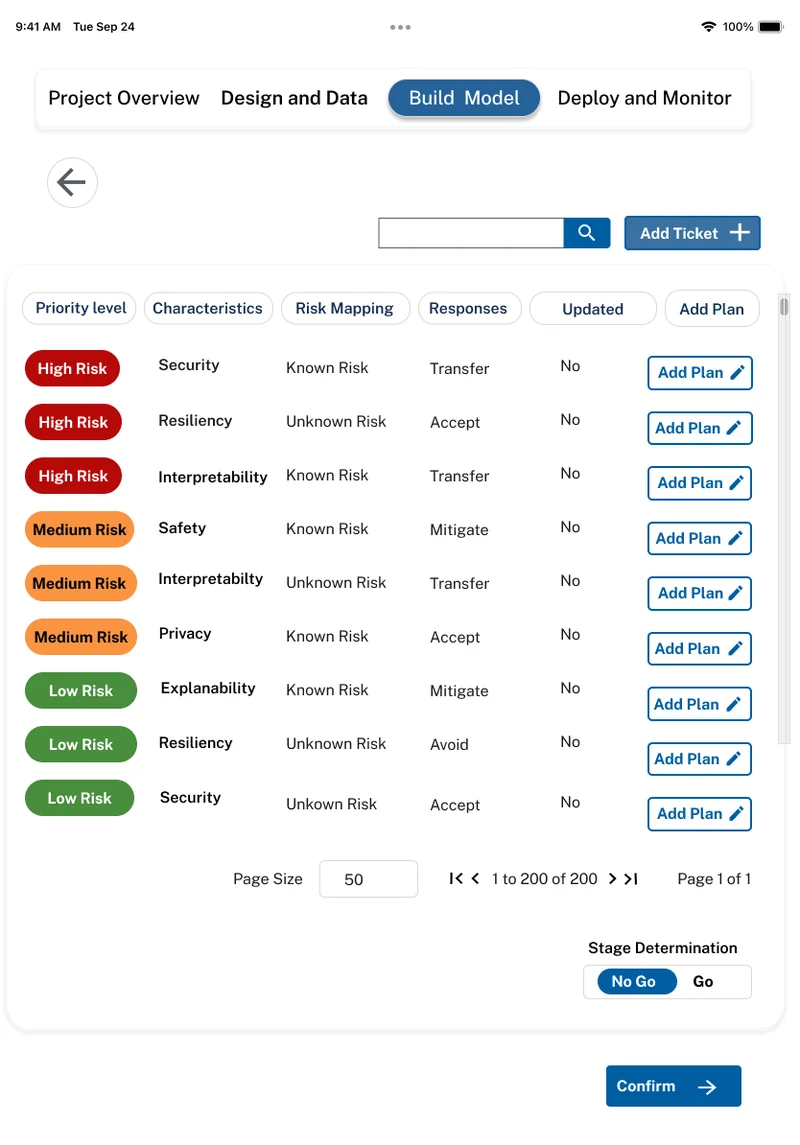
Usability prototype, version 2: wireframes for Project Overview, Design and Data, Build Model, and Deploy and Monitor
Usability prototype: wireframes for all four steps
Managers wanted clear stopping points

Advice was easy to ignore. Project managers wanted a firm yes or no before moving on.

So I designed: a Go / No Go decision at the end of every step, saved with the reason behind it.

People defined key terms differently

Words like "explainability" and "interpretability" meant different things to different people.

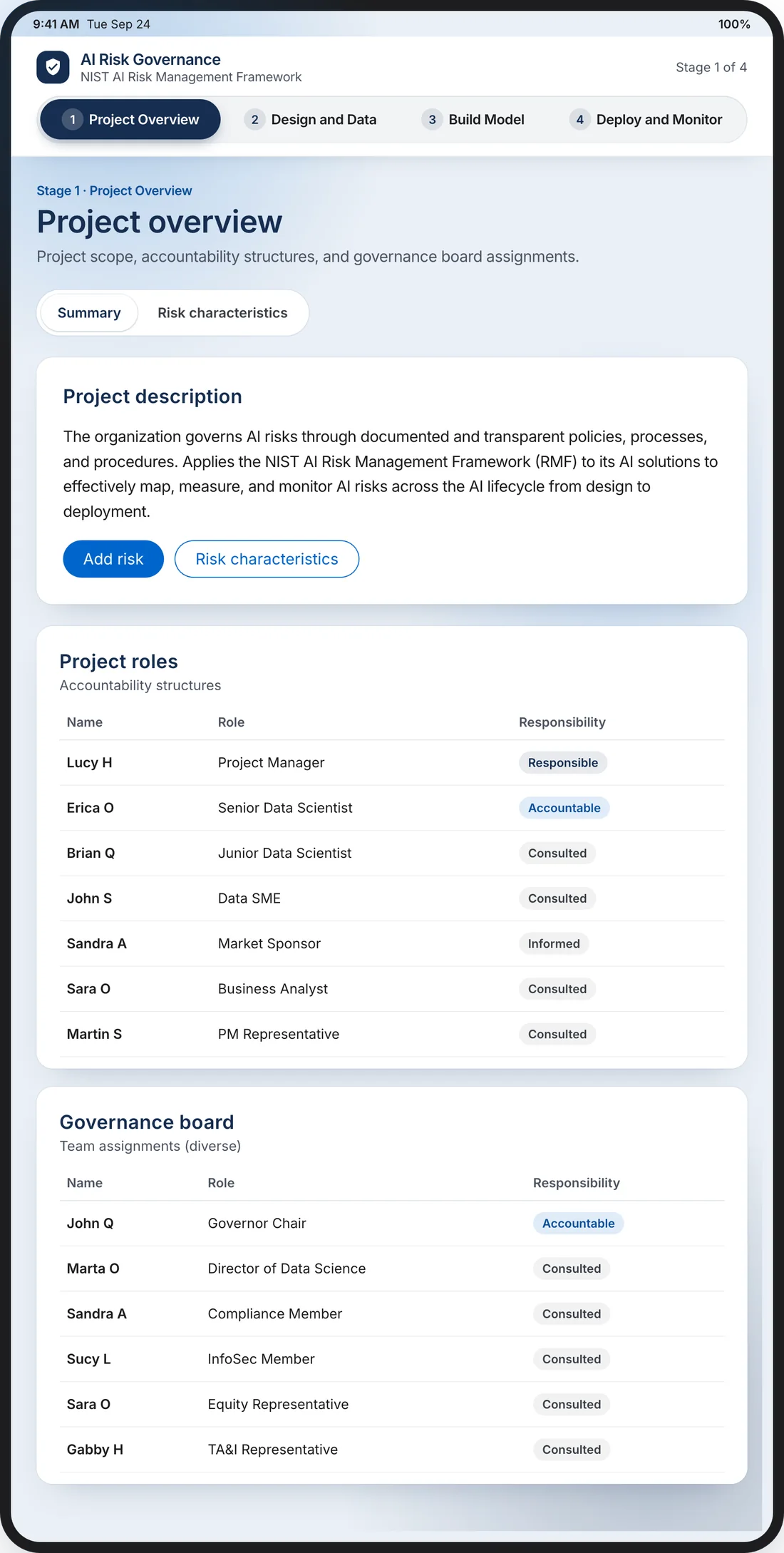
So I designed: plain definitions for all nine risk types, right where people log a risk.

No one knew who was in charge

When something went wrong, it wasn't clear who had to fix it and who had the final say.

So I designed: a team list on every project that shows who does the work, who signs off, and who sits on the review board.

How the federal guide became screens

Govern
Became
  • Who does what
  • The review board
Map
Became
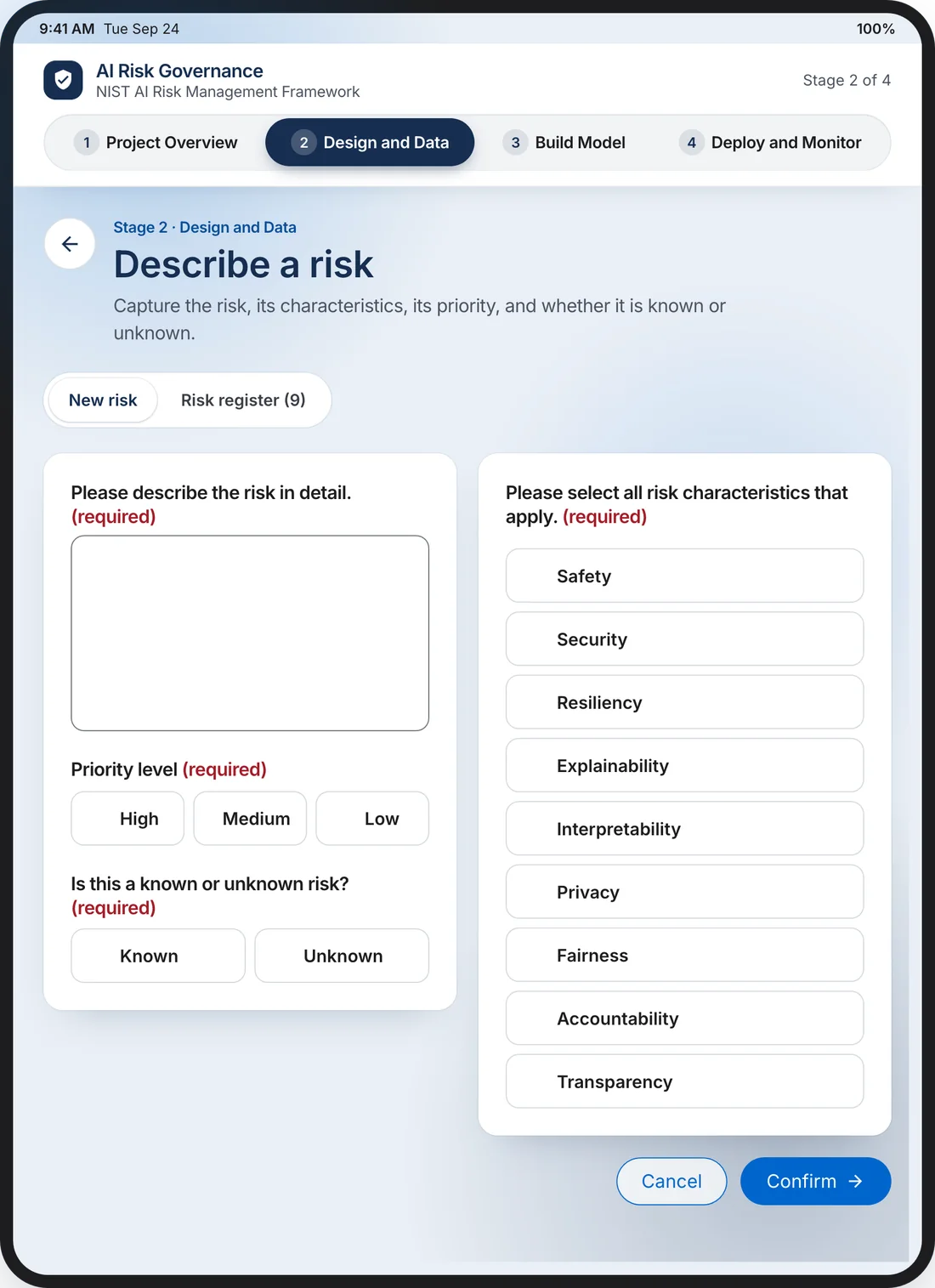
  • A form to log each risk
  • Nine risk types to choose from
Measure
Became
  • High, medium, or low priority
  • Known or unknown risk
Manage
Became
  • A plan for each risk: reduce, hand off, avoid, or accept
  • Go / No Go approvals

From first sketch to final screen

Wireframe of the Build Model screen with saturated filled priority pills and a small stage determination toggle
BeforeEarly sketch
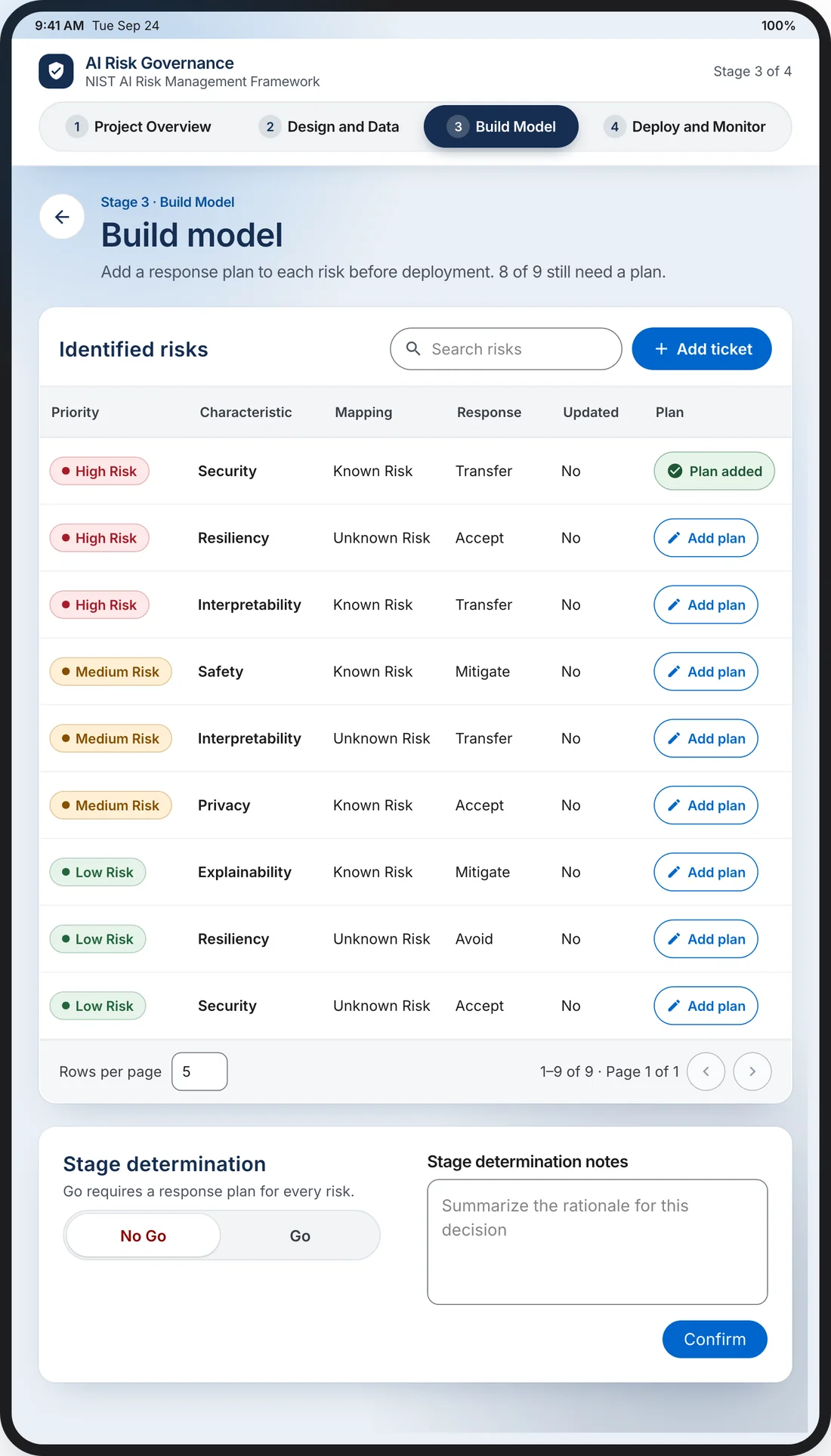
Final Build Model screen with tinted priority badges, a progress subtitle, and a stage determination card
AfterProgress, the rule, and the reason, all in one place

Four steps, one shared risk list, and a yes or no at each step.

Stage 01
Project Overview

Who's on the team, who reviews the work, and what each risk term means, so everyone starts on the same page.

Stage 02
Design and Data

Each risk gets logged the same way, with a priority and a choice of how to handle it.

Stage 03
Build Model

Teams write a plan for each risk. The form fills in what's already known, and the step can't be approved until every risk has a plan.

Stage 04
Deploy and Monitor

The review board checks every plan, plus how the AI will be watched, kept secure, and eventually shut down, before saying Go.
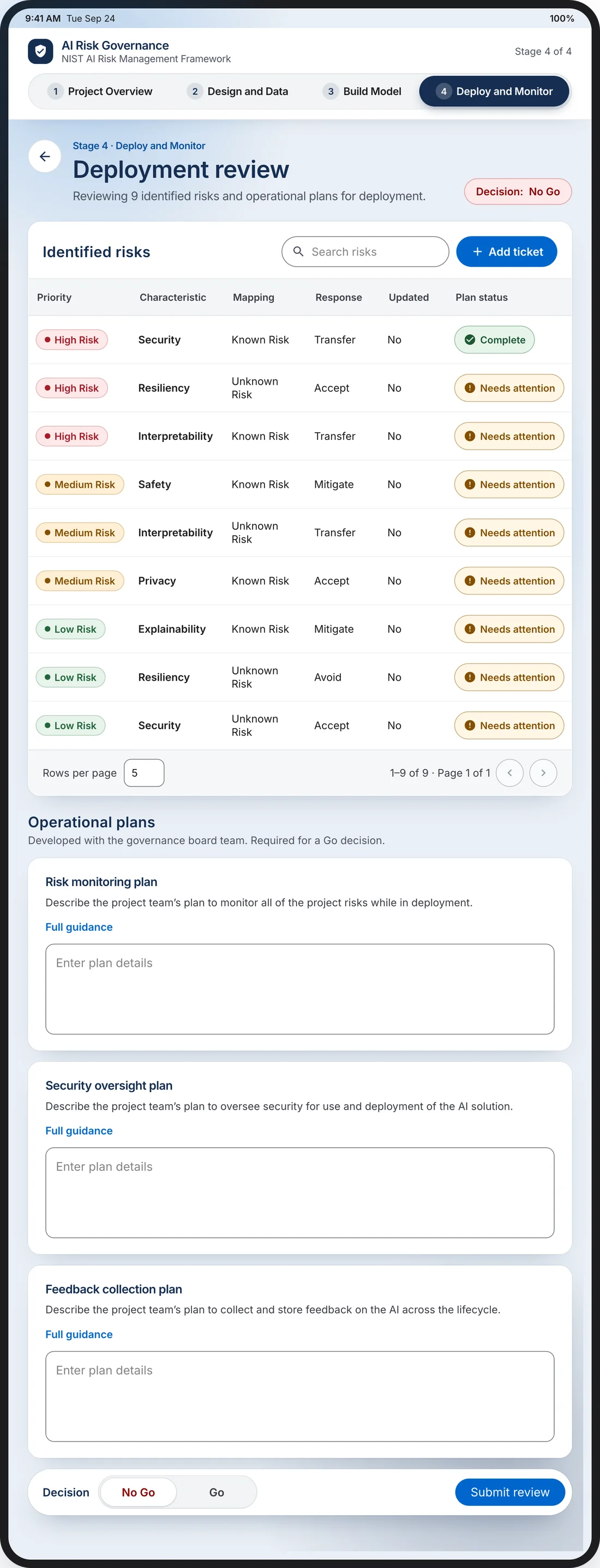
Deployment review with numbered callouts on the decision badge, plan status, operational plans, and decision bar
Final review: everything the board needs on one page

The final gate

1
Decision at the top. The current Go or No Go is the first thing you see.
2
Clear status. Each risk says "Complete" or "Needs attention."
3
Launch plans. Monitoring, security, and feedback plans are required before a Go.
4
One button. Make the call and submit it, and the decision is saved.
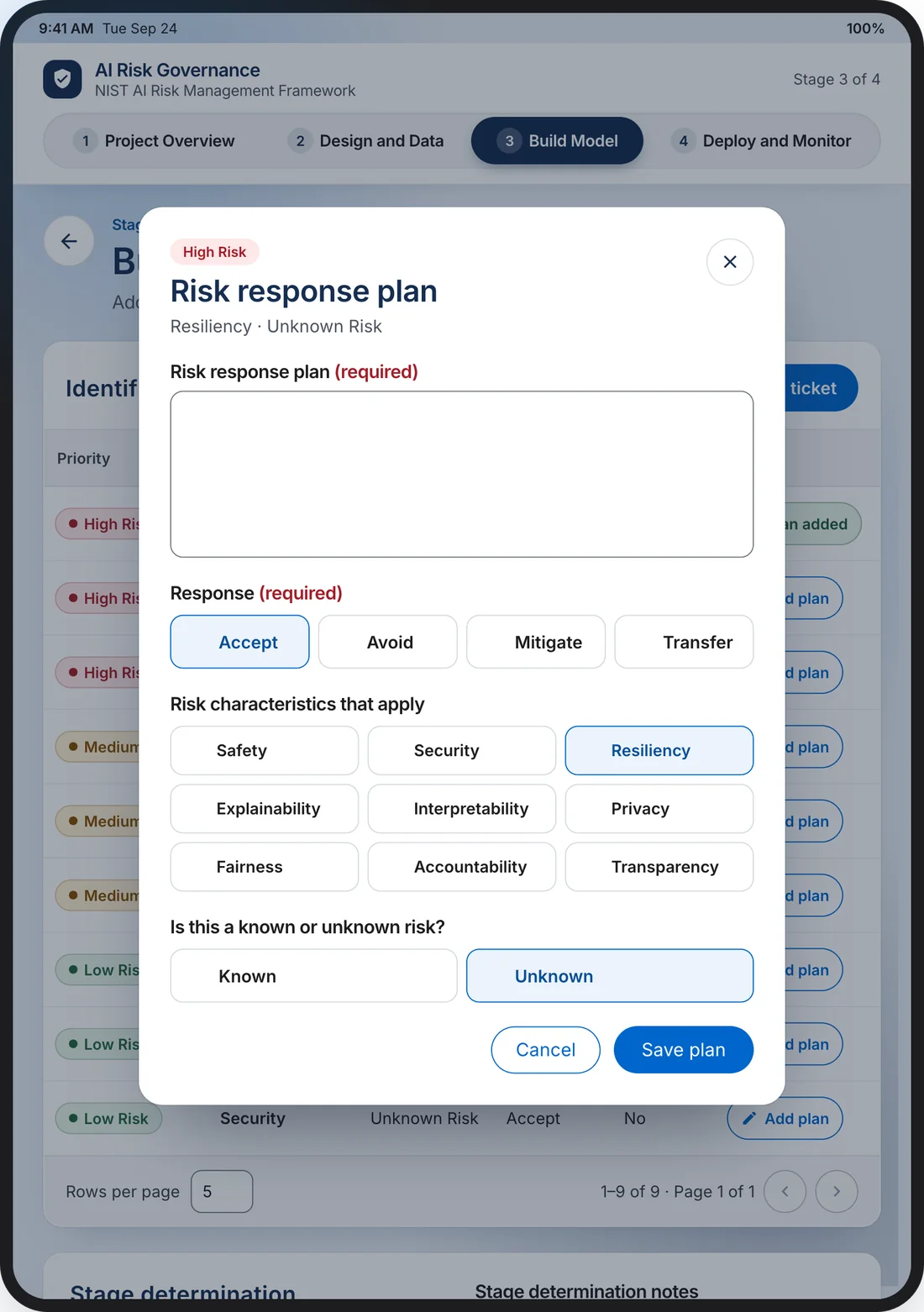
Risk response plan modal for a high-priority resiliency risk, with Accept and Unknown selected
Writing a plan: the risk details fill in automatically, so you only write the plan

I also designed a chart that shows a project's risks at a glance, a live alert screen for AI that's already running, and a place to collect feedback from outside stakeholders.

View the interactive prototype

It stopped risky AI before it launched.

100%
Of new AI projects
now follow the federal guide, step by step
<4 hrs
To fix problems
with live AI, down from days
2
Risky pilots stopped
and sent back to fix bias before launch
A clear record to show federal clients Compliance and data science speak the same language Clear owners on every project

What I learned

Words are design

Defining key terms on screen ended a lot of back-and-forth between compliance and data scientists.

Too many rules wear people out

Too many required fields made people tired of the process. Every required field has to be worth it.

Next: let AI do the first draft

AI could fill in risk forms from a project's description, so managers edit a draft instead of starting from scratch.

Next case study

International
Energy Initiative.

All projects View project